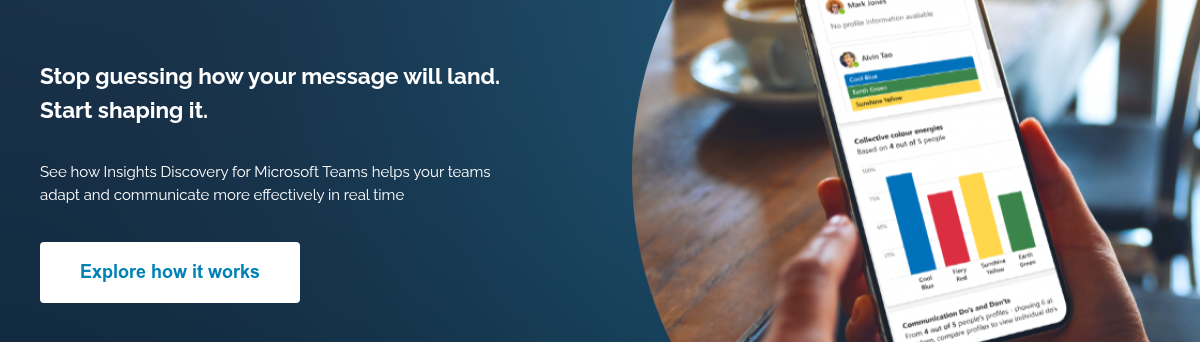

In hybrid workplaces, miscommunication is a big driver of inefficiency. In fact, around 86% of executives say poor communication sits behind most workplace failures.
Most organisations already have the data to fix this: personality insights, communication preferences, behavioural patterns, etc. But it rarely shows up in the moments people actually need it.
Think about your last meeting. You are reading the room, second-guessing how to land a point, adjusting on the fly. Some people want the headlines. Others want the detail. Some are ready to decide. Others are still processing. But how do you know who needs what in the moment?
Now imagine if the guesswork was removed. Instead, you could read everyone in the room, quickly and clearly.
Insights Discovery for Microsoft Teams does just that. Insights Discovery is already used by organisations globally to improve team effectiveness, and this app takes that same insight and makes it usable in everyday interactions.
What is Insights Discovery for Microsoft Teams?
Put simply, it gives you a quick, visual read on how the people you work with like to communicate and what is likely to land well with them.
Inside Microsoft Teams, you can pull up a colleague’s Insights Discovery profile overview, compare communication styles and see how your own preferences stack up against theirs. You can even view the dynamics of a whole group before a meeting starts.
No digging out reports. No relying on memory. Just Insights, available where conversations are already happening.
It’s easier to shape conversations - you’re less likely to get caught off guard by reactions or suggestions. You effectively have your own communication coach, helping you frame what you say before you say it.
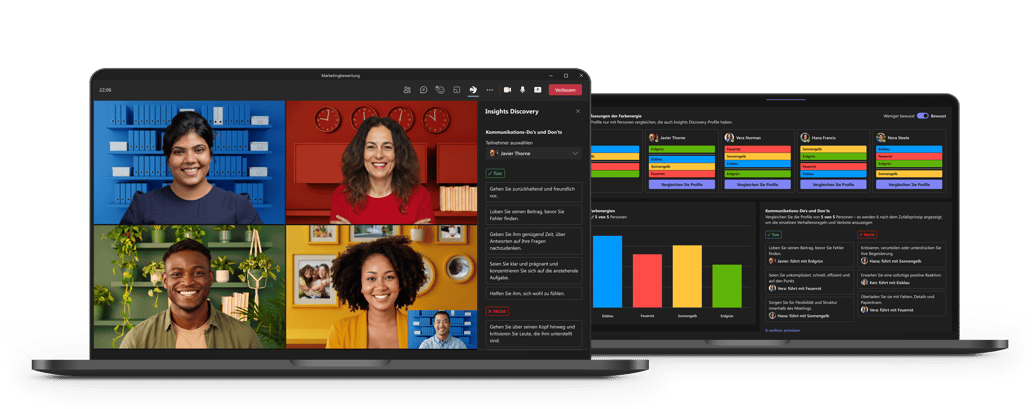
How colour energies bring your profile data to life within Microsoft Teams
The language of colour energies is a simple way to understand how people prefer to work and communicate without needing to get to grips with complex psychological theory.
Insights Discovery for Microsoft Teams puts that knowledge within reach, so you can refer to it in real-time conversations rather than trying to remember it.
Crucially, you’re getting to know colleagues better. Instead of defaulting to your own style, you start making small, deliberate adjustments that make your communication land better. Think of it like hyper-personalising how and what you say to each person.
Three ways to bring the app-based profiles to life
1. Check audience preferences to prepare better presentations
Presenting on Teams can feel daunting. And when you feel the mood shift, even confident presenters might feel something didn’t quite land. But the truth is, it’s often not the content that misses the mark, but the way it’s delivered to the people in the room.
With visibility of each audience member's communication preferences and an overview of the group's preferences as a whole, you can shape both what you say and how you say it, so it lands better for others.
For example:
- If your audience is largely made up of Thinking types, e.g. Fiery Red and Cool Blue, summarise key facts upfront, be clear on timing and focus on outcomes.
- Fiery Red will want pace and headline information, while Cool Blue may still be looking for detail and the ‘what ifs’, so you are striking a considered blend
- If your audience is more populated with Feeling types like Sunshine Yellow and Earth Green, emphasise interaction, collaboration and opportunities to contribute. The human touch is important here.
You can also adapt the format itself to better suit your audience. If most attendees lean towards introversion, you might avoid painful breakout rooms or putting people on the spot, which could be their worst nightmare. If the group is more extroverted, you can lean into discussion and spontaneity, and ensure everyone has an opportunity to speak/shine in the group! 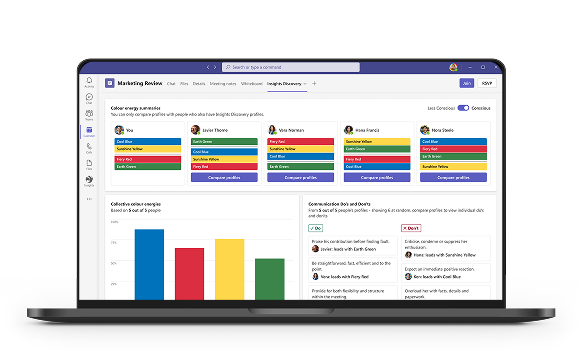
The shift:
Instead of one-size-fits-all presentations, you design around how people are likely to engage and what they're most likely to want, so your message lands faster and with more resonance.
2. Asking a stakeholder for something important
It might be a pay rise or asking someone to modify an aspect of their behaviour. These are often difficult conversations to have, made even trickier when you’re not sure how the person might react.
The app can be handy in guiding how you approach sensitive or challenging conversations in one-to-one scenarios, especially when you've only got one chance to get the message right.
With the personality info the Insights Discovery app gives you, you can tailor your approach to the person you'll be talking to; ideally ahead of time, but in real-time too if you find the conversation is harder than you'd thought it would be.
Shifting from a formal to personal style, or providing less or more detail, can make all the difference to the person in front of you, and can help your message land in a way that they'll appreciate.
For example:
- With Fiery Red colour energies, get straight to the point. Outline achievements, show where you are heading next and focus on results
- With Earth Green colour energies, take a more considered, people-first approach. Focus on the impact on others and how you can bring out the best in a team
So, you’re not changing the ask. You are changing how it is presented and heard.
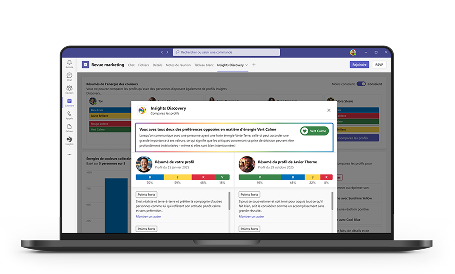 The shift:
Now you are not relying on instinct or just hoping it lands. You are shaping the conversation in a way that the other person is far more likely to respond to.
3. Navigating sensitive conversations
Similar to asking for something, you may need to have difficult or sensitive conversations around feedback or checking in on a colleague during a difficult time.
These moments can be where communication breaks down and where getting it right really matters. And they are often the conversations people avoid or overthink the most.
Being able to see the personality colour mix of the person you are speaking to is a huge advantage here. You can adjust not just what you say, but how you show up in the conversation.
For example:
- With a more introverted style like Cool Blue, avoid overloading with small talk. Be clear, honest, and acknowledge the practical challenges they may be facing. You might recognise their concern about not performing at their best, while reinforcing the value of their contribution
- With a more extraverted style like Sunshine Yellow, take a warmer, more open approach. Create space for them to talk things through, acknowledge how they are feeling, and keep the conversation human rather than overly formal or task-focused
The app can also be useful in shaping how you might deliver bad news. It can give you a view of how someone may behave under stress. A leading colour energy can dial down under pressure, altering how your message is received.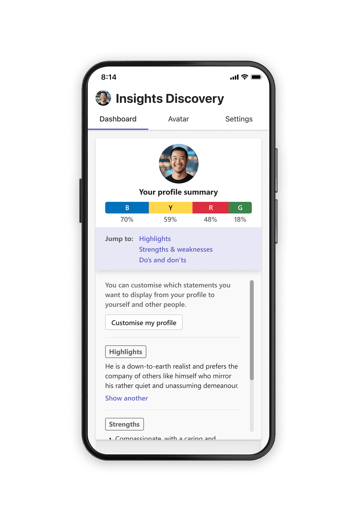
The shift:
Instead of reacting in the moment, you go into your meeting with a clearer read of the person in front of you so you can now handle the conversation in a way that supports them.
Where this makes a difference
Across all three of these scenarios, the pattern is the same. Small adjustments, made at the right moment, can completely change how our communication lands.
And that's often the difference between a meeting that drifts and one that moves things forward. Between trust built vs accidental alienation, and feedback that's resisted and feedback that's not only appreciated, but actually leads to change.
For HR and L&D leaders, that is where the real value sits. Not just awareness, but behavioural change that shows up in everyday interactions and across teams.
When people can adapt how they communicate in the moment, that’s when the impact starts to show. Faster alignment. Fewer misunderstandings. Better conversations.
Insights Discovery for Microsoft Teams: Your instant communications coach to help every person on your team connect and perform better, right where work happens. Bring award-winning Insights Discovery profile data to life inside Microsoft Teams. Let the language of colour energies empower your team to communicate with confidence.